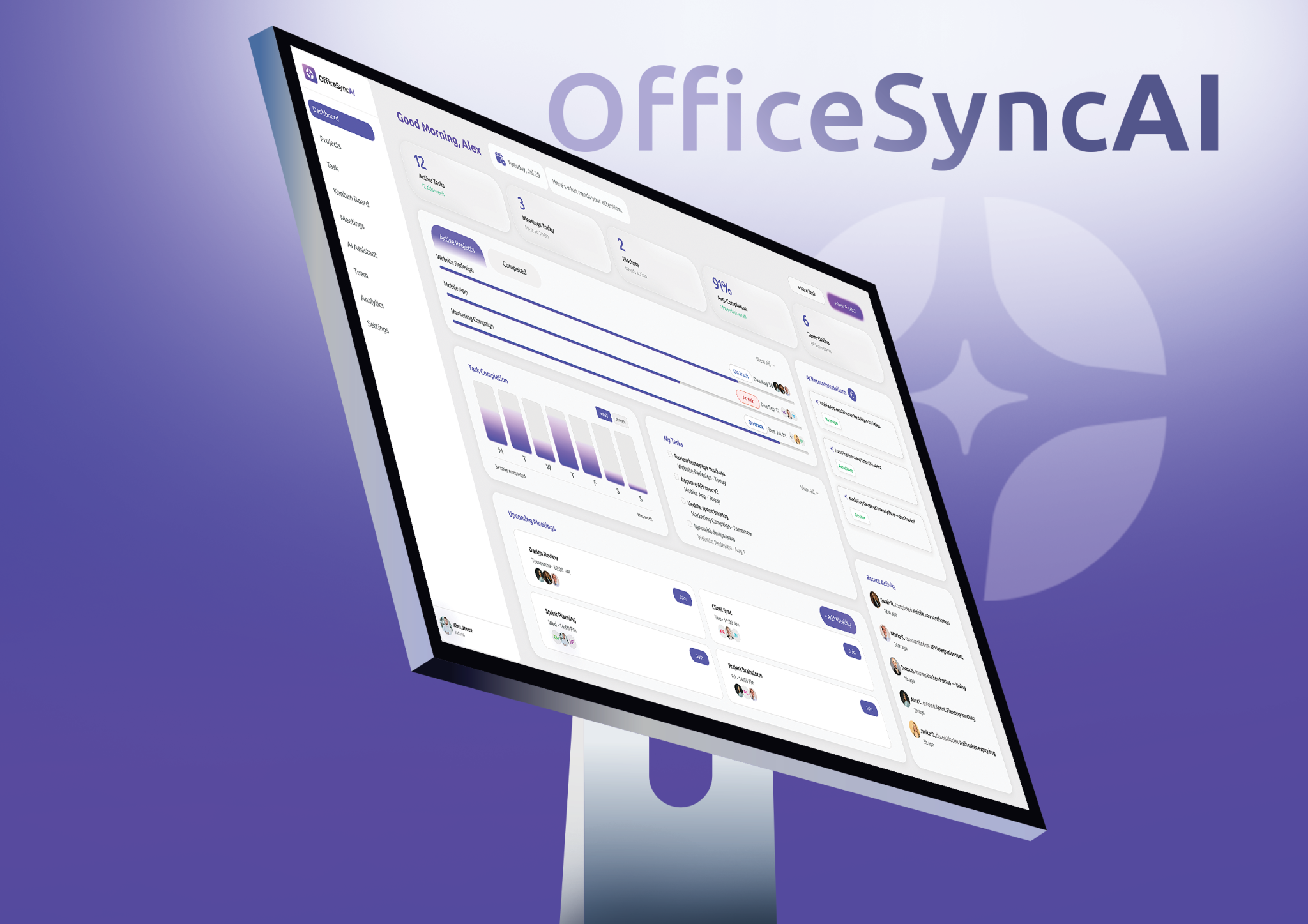
OfficeSync AI
Rethinking how teams work together
Modern teams have more tools than ever to help them get work done. Project management platforms, communication apps, calendars, documentation tools, and collaboration software have made it easier to organize almost every part of the working day. Yet, having more tools does not necessarily mean that work has become simpler. In many cases, the opposite has happened. Information is spread across different platforms, important decisions disappear inside conversations, meetings create follow-up work that is easy to forget, and managers often have to manually piece together what is actually happening across their teams.
This was the starting point for OfficeSync AI, a conceptual SaaS platform that explores how artificial intelligence could reduce the coordination work that happens around everyday projects. Instead of trying to replace the tools teams already use, OfficeSync focuses on connecting the information between them and turning it into useful context, recommendations, and actions.
The central idea behind the product is simple: teams should spend less time figuring out what is happening and more time actually moving their work forward.
OfficeSync AI
Rethinking how teams work together
Modern teams have more tools than ever to help them get work done. Project management platforms, communication apps, calendars, documentation tools, and collaboration software have made it easier to organize almost every part of the working day. Yet, having more tools does not necessarily mean that work has become simpler. In many cases, the opposite has happened. Information is spread across different platforms, important decisions disappear inside conversations, meetings create follow-up work that is easy to forget, and managers often have to manually piece together what is actually happening across their teams.
This was the starting point for OfficeSync AI, a conceptual SaaS platform that explores how artificial intelligence could reduce the coordination work that happens around everyday projects. Instead of trying to replace the tools teams already use, OfficeSync focuses on connecting the information between them and turning it into useful context, recommendations, and actions.
The central idea behind the product is simple: teams should spend less time figuring out what is happening and more time actually moving their work forward.
Understanding the problem
I started the project by looking at how knowledge workers spend their time and what makes collaborative work unnecessarily difficult. The research quickly showed that the problem is much broader than simply having too many tasks.
According to Asana’s Anatomy of Work research, knowledge workers spend around 58% of their working day on what the company describes as “work about work”, which includes activities such as communicating about tasks, searching for information, coordinating projects, and managing processes. Microsoft reported similar concerns in its Work Trend Index, finding that 68% of people do not have enough uninterrupted focus time and that 62% struggle with finding information. Atlassian’s research also found that 64% of knowledge workers feel their teams are constantly being pulled in different directions, while 55% have difficulty finding information even when they know someone who can help them find it.
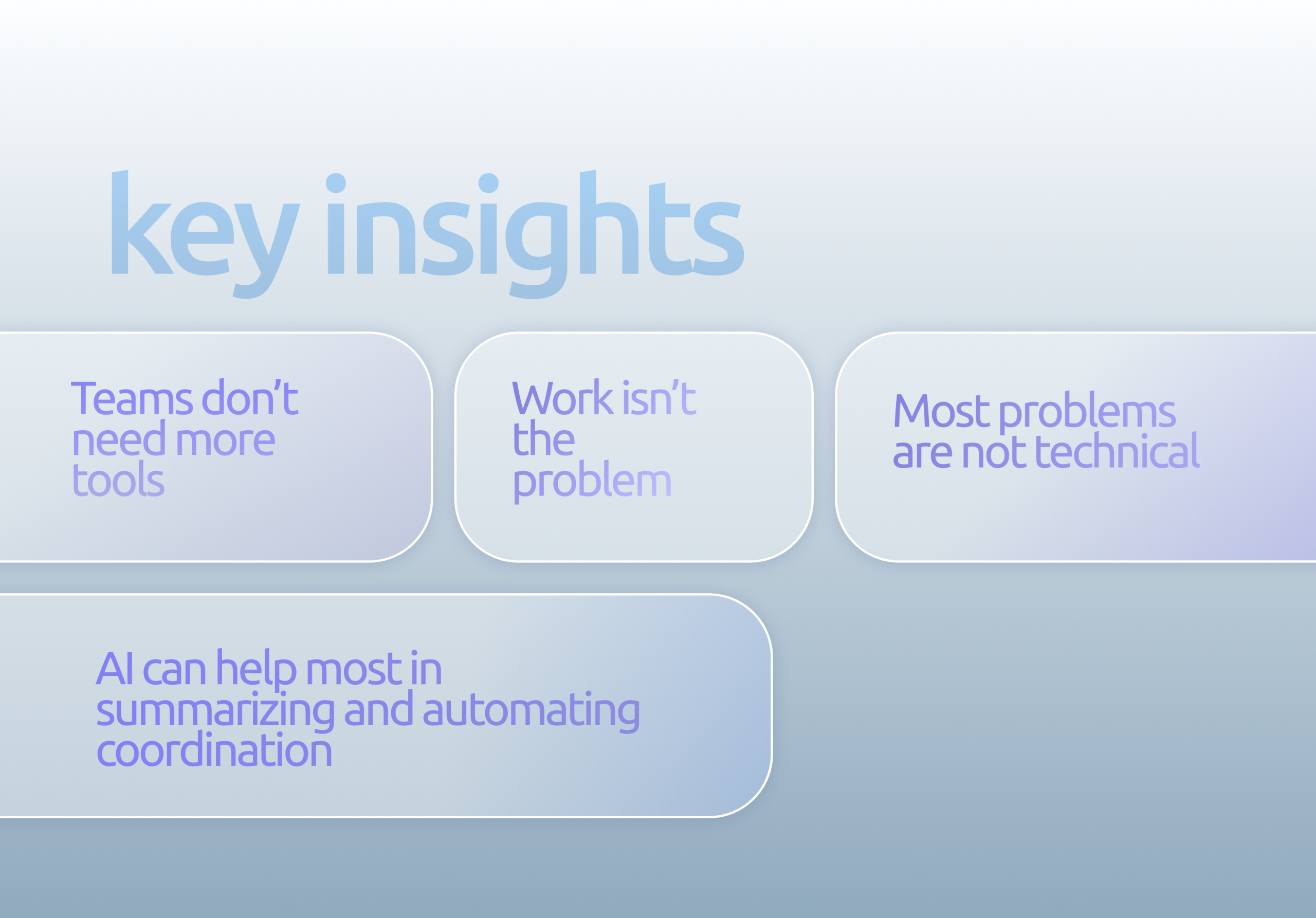
These findings pointed toward a larger problem. Teams are not necessarily lacking software or information. They are lacking context.
A project manager might see a delayed task in one application, while the reason for that delay exists in a Slack conversation. A designer might receive feedback during a meeting, while the final decision is documented somewhere else. A developer might be blocked by a dependency that the project manager does not realize has become critical.
The information exists, but it is fragmented.
This means that a significant amount of work is spent reconstructing the bigger picture before a decision can even be made.
Looking at existing solutions
Before defining OfficeSync, I looked at how established project and team management platforms approach the same problem. Products such as Asana, Jira, Monday.com, and ClickUp already solve many aspects of project organization very well, so creating another tool that simply provides tasks, boards, calendars, and dashboards would not offer a meaningful reason for teams to switch.
Asana provides a strong structure for managing projects, tasks, responsibilities, and deadlines. Its interface makes it relatively easy to understand what work exists and who owns it. However, the user is still responsible for interpreting the information and understanding what requires attention. This made me interested in the difference between showing users their work and actually helping them understand it.
Jira takes a much more detailed approach and is particularly powerful for software development teams. Its issue tracking, dependencies, workflows, and technical project management capabilities are extremely useful, but this level of detail can make it harder for people outside development to understand the overall state of a project. A product designer or marketing manager should not have to navigate through dozens of technical issues to understand why a launch might be delayed.
Monday.com approaches the problem through flexibility and customization. Teams can build workflows around their own processes, which makes the platform adaptable to many different types of organizations. However, flexibility can also create another layer of work, because teams need to decide how their workspace should be structured and maintained.
ClickUp takes an even broader approach by bringing tasks, documents, communication, goals, and other capabilities into a single environment. This demonstrates the demand for consolidation, but it also highlights another UX challenge: when a product tries to do everything, the interface itself can become complex.
Looking across these products, I found an interesting opportunity. The market already has many tools for storing and organizing work. What seemed less explored was helping users understand the relationships between that work.
The opportunity
This became the most important insight of the project.
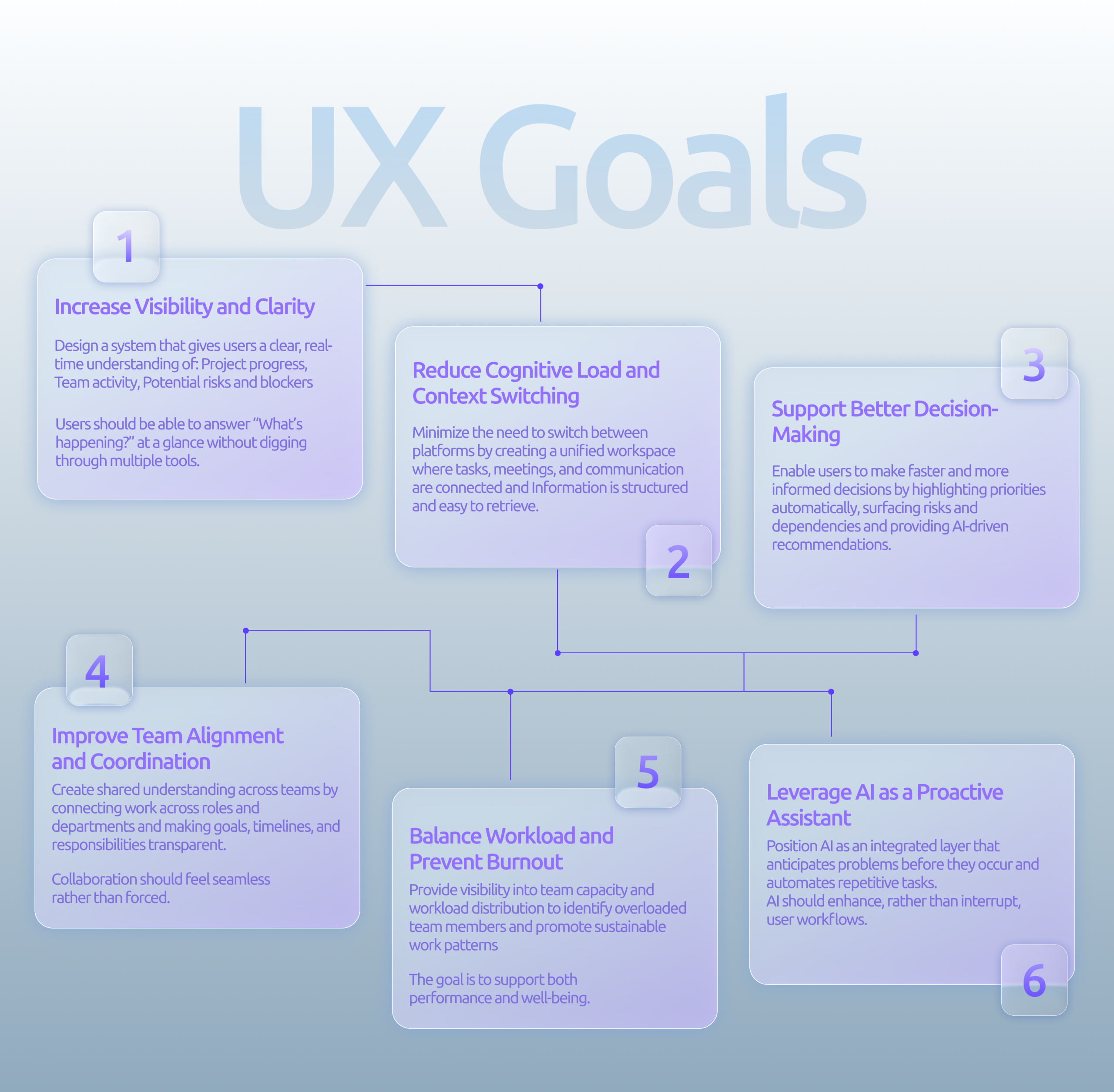
I did not want OfficeSync to become another project management platform with an AI chatbot attached to the sidebar. Instead, I wanted AI to become part of the underlying experience.
When a task is delayed, the system should understand which other tasks depend on it. When a meeting produces a decision, the system should understand which project or tasks are affected by that decision. When someone becomes overloaded, the system should be able to identify the work contributing to that workload and help the manager understand the possible consequences.
The opportunity was therefore not simply to make teams more productive. It was to make the relationships between their work more visible.
This led to the core product idea:
“OfficeSync turns fragmented team activity into connected context, helping people understand what is happening, why it matters, and what they can do next.”
Defining the product
OfficeSync is designed around a simple workflow. The system continuously gathers context from projects, tasks, meetings, deadlines, team capacity, and other sources of activity. Instead of presenting all of that information equally, the AI layer identifies the parts that are most relevant to the user.
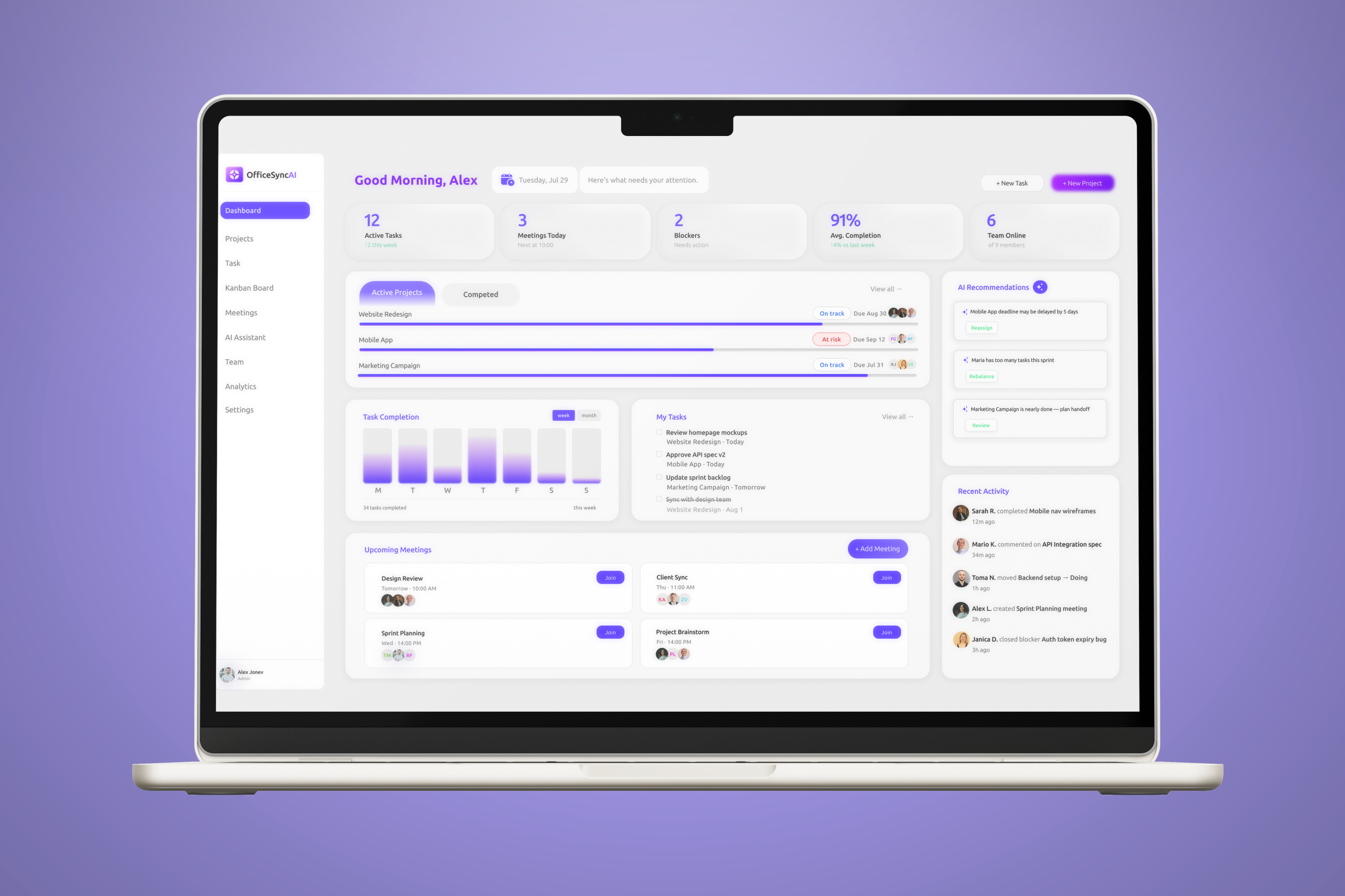
A product manager opening the dashboard in the morning might see that one project is at risk, two tasks are blocked, and one team member is approaching capacity. Rather than forcing the manager to investigate each issue manually, OfficeSync provides a short explanation of what is happening and why it matters.
For example, instead of simply displaying “Project health: 72%”, the system could explain that the project is at risk because two design approvals are blocking development and could potentially move the launch date by three days.
This changes the role of the dashboard. It is no longer simply a place to monitor information. It becomes a place where users can understand situations and make decisions.
Designing the AI experience
One of the biggest challenges was deciding how AI should behave inside the product. I wanted it to feel useful without becoming intrusive or taking control away from the user.
The solution was to position the AI around four stages: understanding, prioritizing, predicting, and acting.
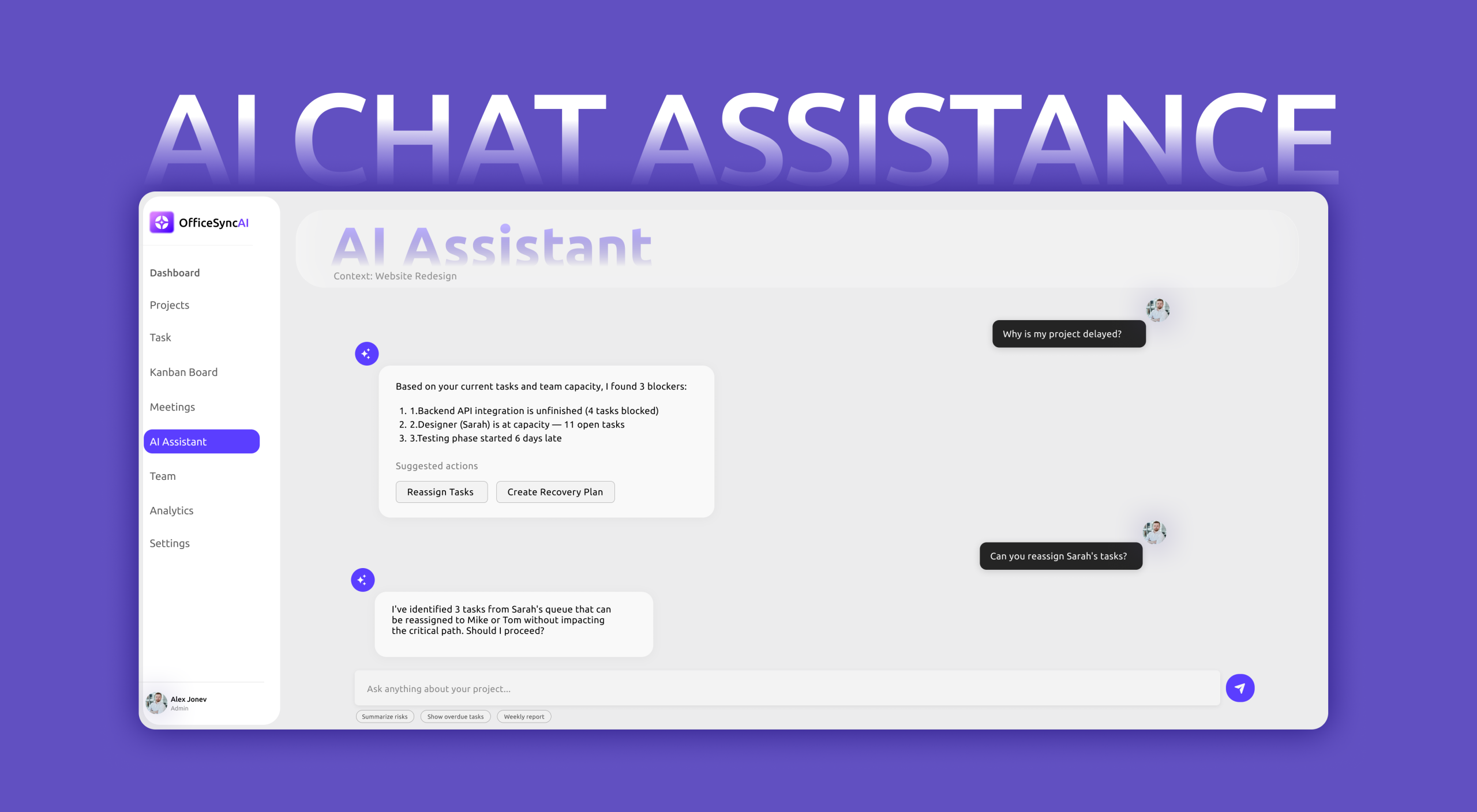
The system first helps users understand what is happening across their projects. It then identifies what deserves attention, looks for patterns that could become problems, and finally suggests actions that the user can review.
For example, OfficeSync might notice that a team member has several high-priority tasks due within the same period while another team member has significantly more capacity. Instead of automatically moving the work, it could explain the situation and suggest a possible redistribution.
This creates a relationship where the AI observes the workspace, explains its reasoning, makes a recommendation, and allows the human to make the final decision.
That distinction was important because I wanted OfficeSync to feel like a trusted assistant rather than an autonomous manager.
Turning meetings into actual work
Meetings became another important part of the product because they are often where decisions are made, but those decisions do not always make their way back into the project.
A meeting might end with several people agreeing to do something, but the responsibility, deadline, or context can easily become lost afterward.
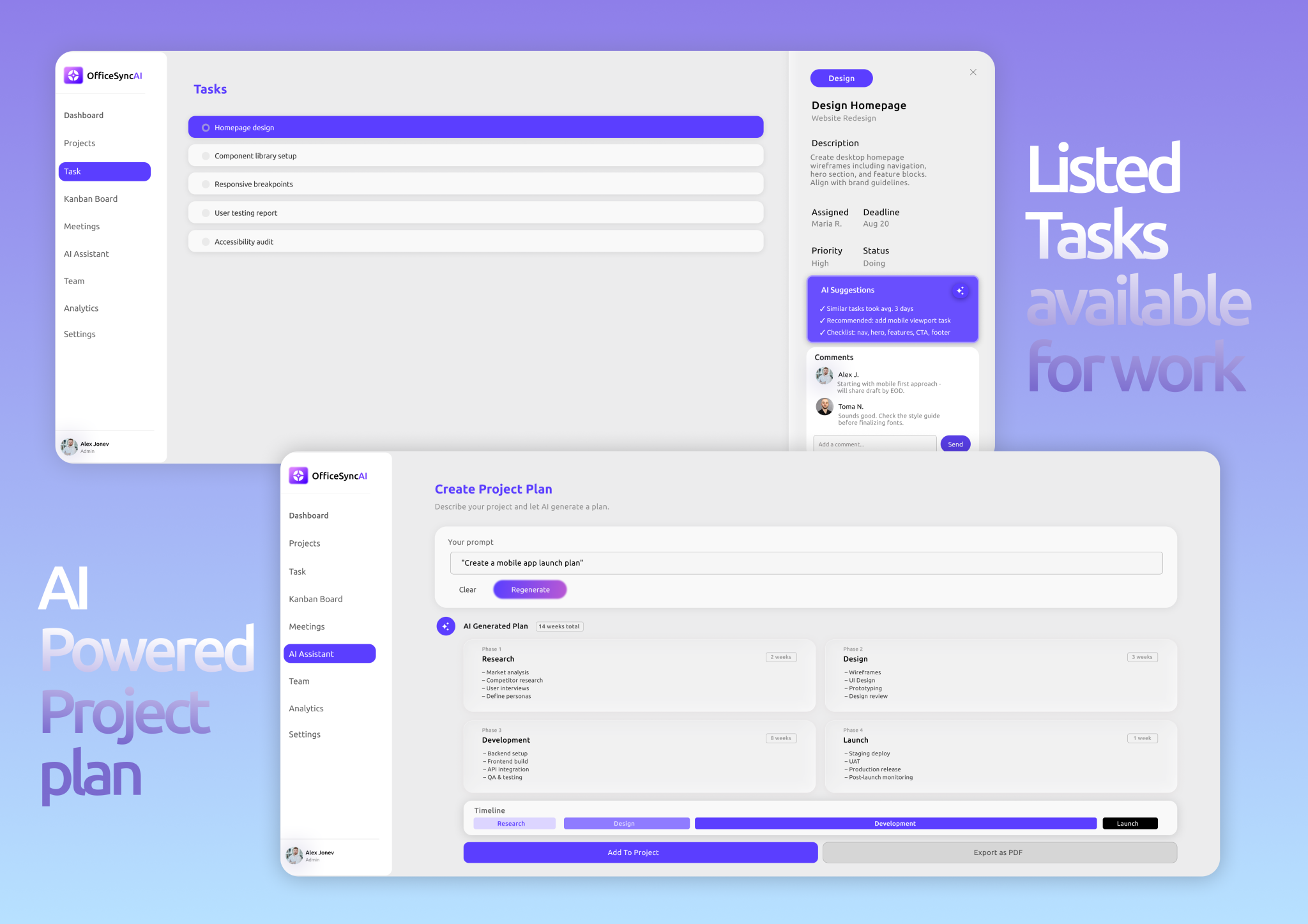
OfficeSync approaches this by connecting meetings directly to the work that follows them. After a meeting, the AI identifies important decisions, action items, owners, deadlines, and unresolved questions. Users can review the information and convert relevant action items into project tasks.
This creates a more connected workflow between communication and execution. Instead of treating the meeting as a separate event, OfficeSync treats it as another part of the project.
The goal is not to automate meetings themselves. It is to make sure that the useful information created during them does not disappear once the call ends.
Helping teams see risks earlier
Another major opportunity was project risk.
Most project management interfaces tell users what has already happened. A task is late, a deadline has been missed, or a milestone has moved.
I wanted OfficeSync to focus more on what might happen next.
The system can look for patterns such as delayed dependencies, repeated deadline changes, blocked tasks, unassigned work, or unusual changes in workload. These signals can then be translated into understandable warnings rather than raw analytics.
For example, the product might say that a project has an increased risk of delay because an API task is three days overdue and currently blocks four other tasks.
The important part is not that the AI predicts the future perfectly. The value comes from giving the team an earlier opportunity to notice a problem and respond before it becomes a larger one.
The dashboard experience
The dashboard became the central experience of OfficeSync because it needed to answer one question quickly:
“What should I know right now?”
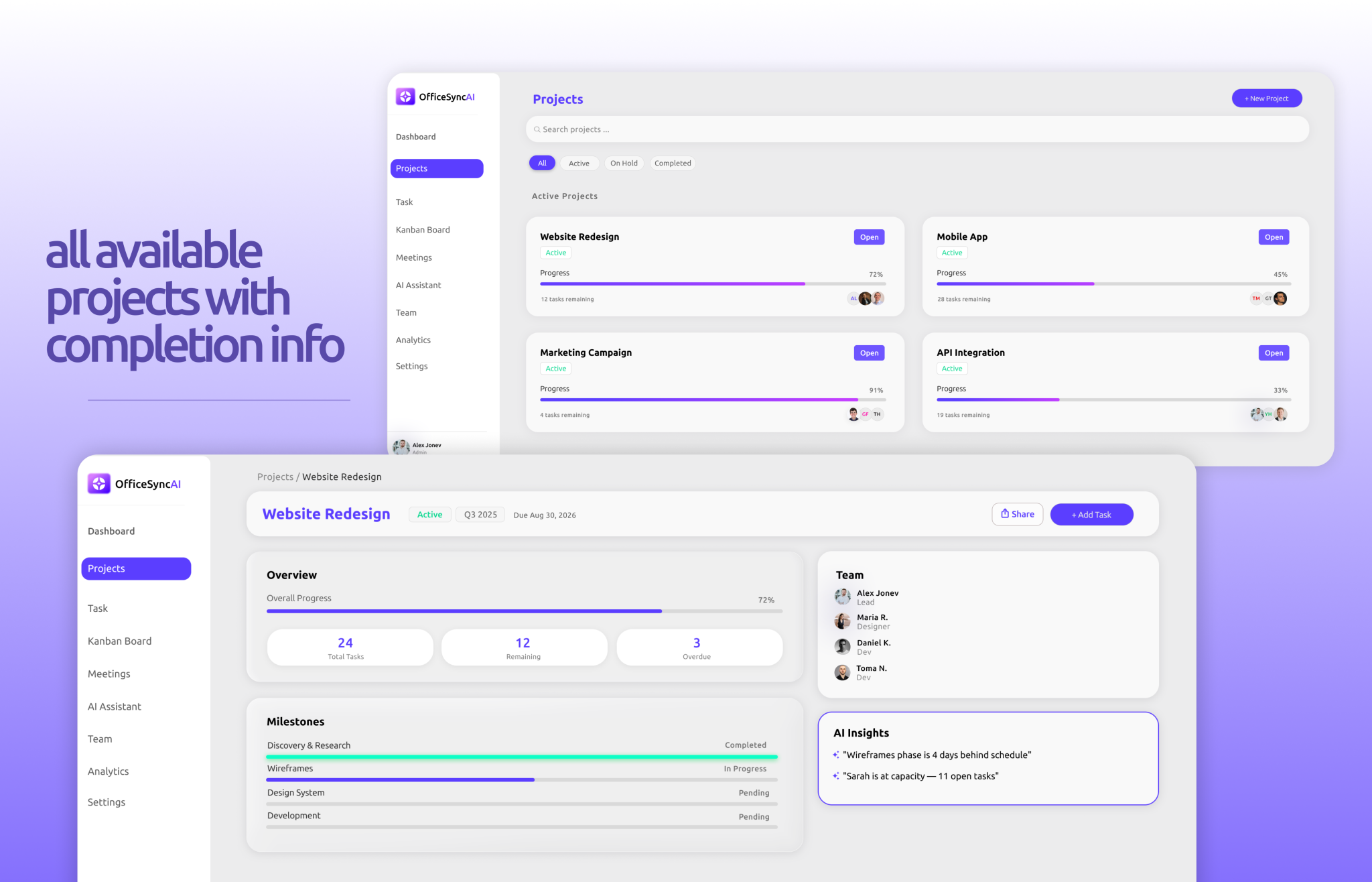
Rather than filling the screen with charts and activity feeds, I designed the experience around hierarchy and attention. The most important issues appear first, while deeper project information remains available when the user needs it.
The dashboard brings together project health, upcoming work, team workload, AI recommendations, and recent activity. However, the information is presented as context rather than as a collection of independent metrics.
A project being 72% complete does not mean much by itself. Knowing that the project is 72% complete and that its launch is potentially at risk because of two blocked dependencies is much more useful.
This became an important principle throughout the design:
Show users information when they need it, but give them context when they need to make a decision.
Creating a calmer SaaS experience
Because OfficeSync deals with a large amount of information, I wanted the visual design to feel calm rather than overwhelming.
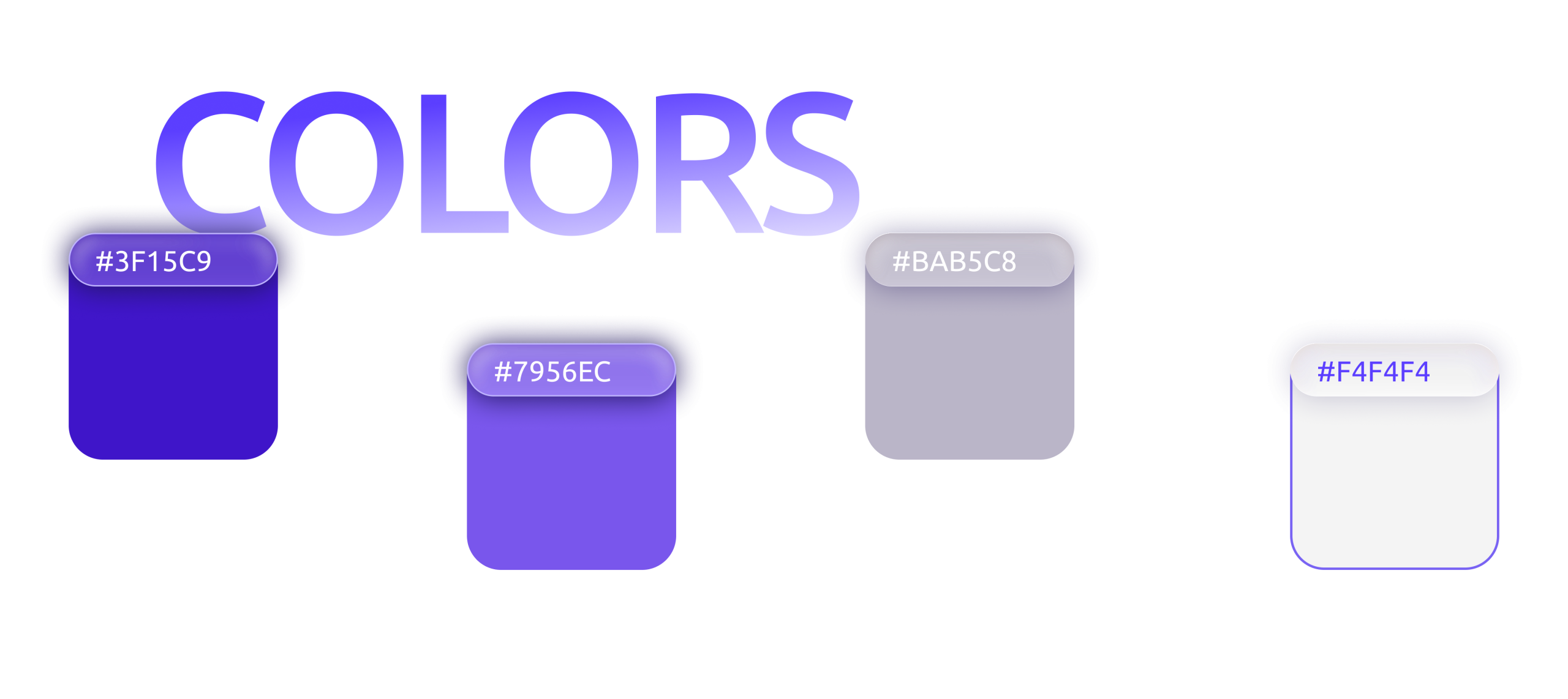
Instead of using a highly futuristic visual language to communicate the AI aspect, I chose a restrained SaaS aesthetic with a neutral foundation, strong typography, clear hierarchy, and a focused accent color.
The interface intentionally avoids making every AI feature look visually different. AI should feel like a natural part of the product rather than a separate feature bolted onto it.
The visual direction supports the same idea as the UX:
Complexity underneath, simplicity on top.
The final concept
OfficeSync started with a fairly broad question about how AI could make teamwork more productive. Through research and competitive analysis, that question became much more specific.
I realized that the biggest problem was not task management itself. Teams already have plenty of ways to create tasks and organize projects. The larger problem was the amount of time spent connecting information, understanding context, following up after meetings, identifying risks, and coordinating between people.
That became the foundation of OfficeSync.
Rather than creating another platform where teams simply store their work, I designed a system that helps them understand the work they already have.
The final concept brings projects, meetings, tasks, people, and AI-driven insights into one connected experience, with the AI acting as an intelligence layer that helps users recognize what matters and decide what to do next.
Ultimately, OfficeSync is built around a simple idea:
The best productivity tool shouldn’t give teams more work to manage. It should make the work they already have easier to understand.

PROBLEM
Modern teams rely on an increasingly fragmented ecosystem of tools to manage projects, communication, documentation, and decision-making. While these tools are individually powerful, they create a disconnected workflow that reduces visibility, increases cognitive load, and slows down execution.

User Personas

User Journey